
In today's fast-paced digital landscape, content is king. But creating great content is only half the battle; ensuring it reaches and resonates with your audience is the other. For YouTubers, podcasters, and media agencies, one simple addition can exponentially increase engagement and reach: Subtitles.
The Power of Subtitles
Did you know that a significant portion of social media video is watched without sound? Or that subtitles can make your content accessible to millions of people with hearing impairments?
Boost Engagement: Capture the attention of scrollers who watch on mute.
Improve SEO: Search engines can crawl your transcripts, making your video and audio content searchable.
Global Reach: Break down language barriers and reach a wider audience.
The Challenge: Manual Subtitling
Traditionally, creating subtitles has been a bottleneck. It's a tedious, time-consuming process of listening, typing, and manually syncing timestamps. For creators producing hours of content, this is simply not scalable.
The Solution: Automated SRT Generation with OrbitalsAI
OrbitalsAI removes this bottleneck. Our advanced speech-to-text models, including the new Perigee-1, can automatically generate accurate subtitles in minutes, not hours. We support the industry-standard SRT (SubRip Subtitle) format, which is compatible with YouTube, Premiere Pro, VLC, and mostly every other video platform.
How to Generate SRTs
You can generate subtitles directly from our dashboard or via our API.
Option 1: Using the Dashboard
Our user-friendly dashboard makes it easy to get subtitles without writing a single line of code.
Upload your file: Log in to the dashboard and upload your audio or video file.
Select "Generate SRT": In the transcription options, ensure the "Generate SRT" checkbox is selected.
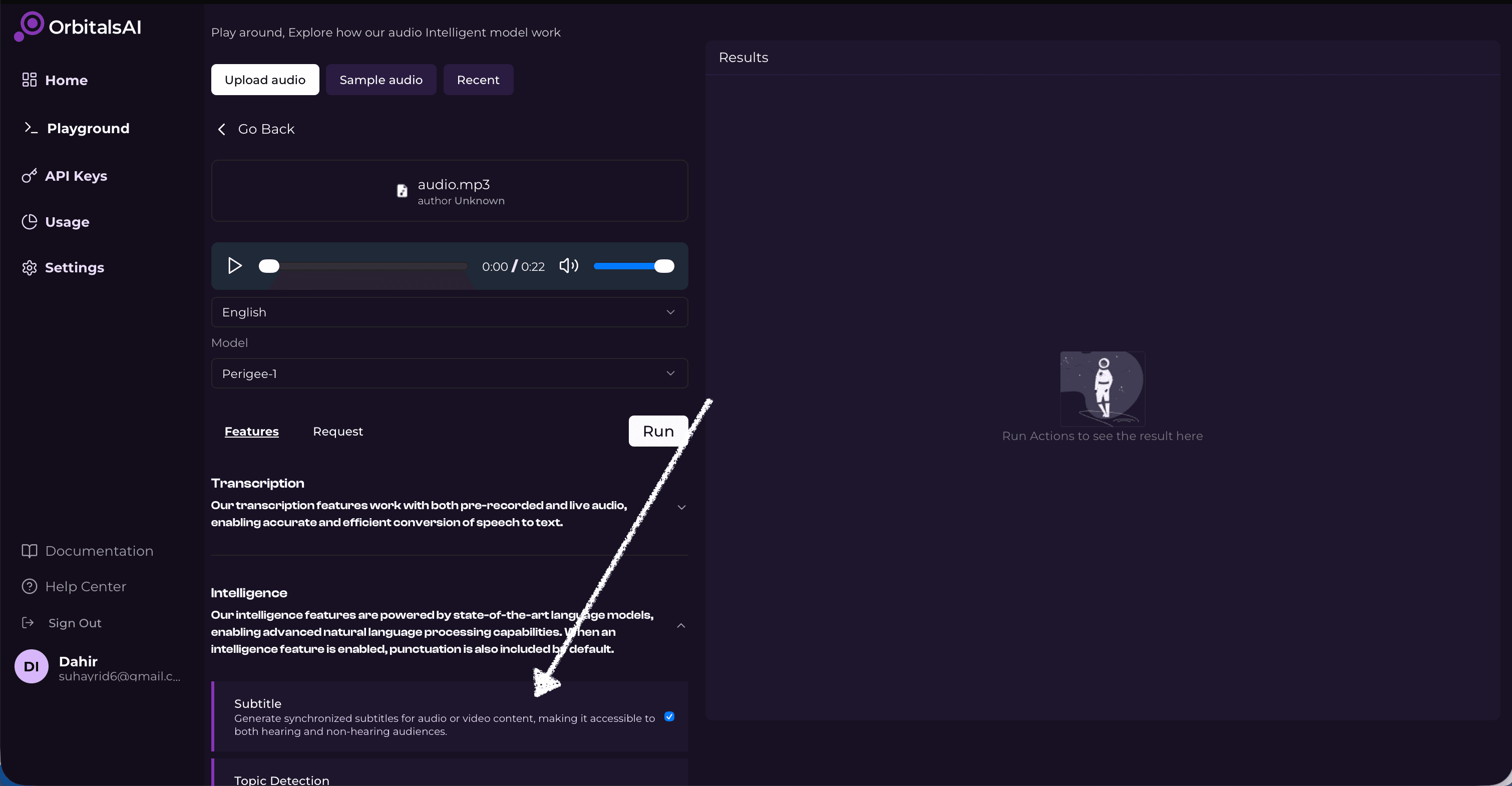
Download: Once processing is complete, click the "Download SRT" button to get your subtitle file.
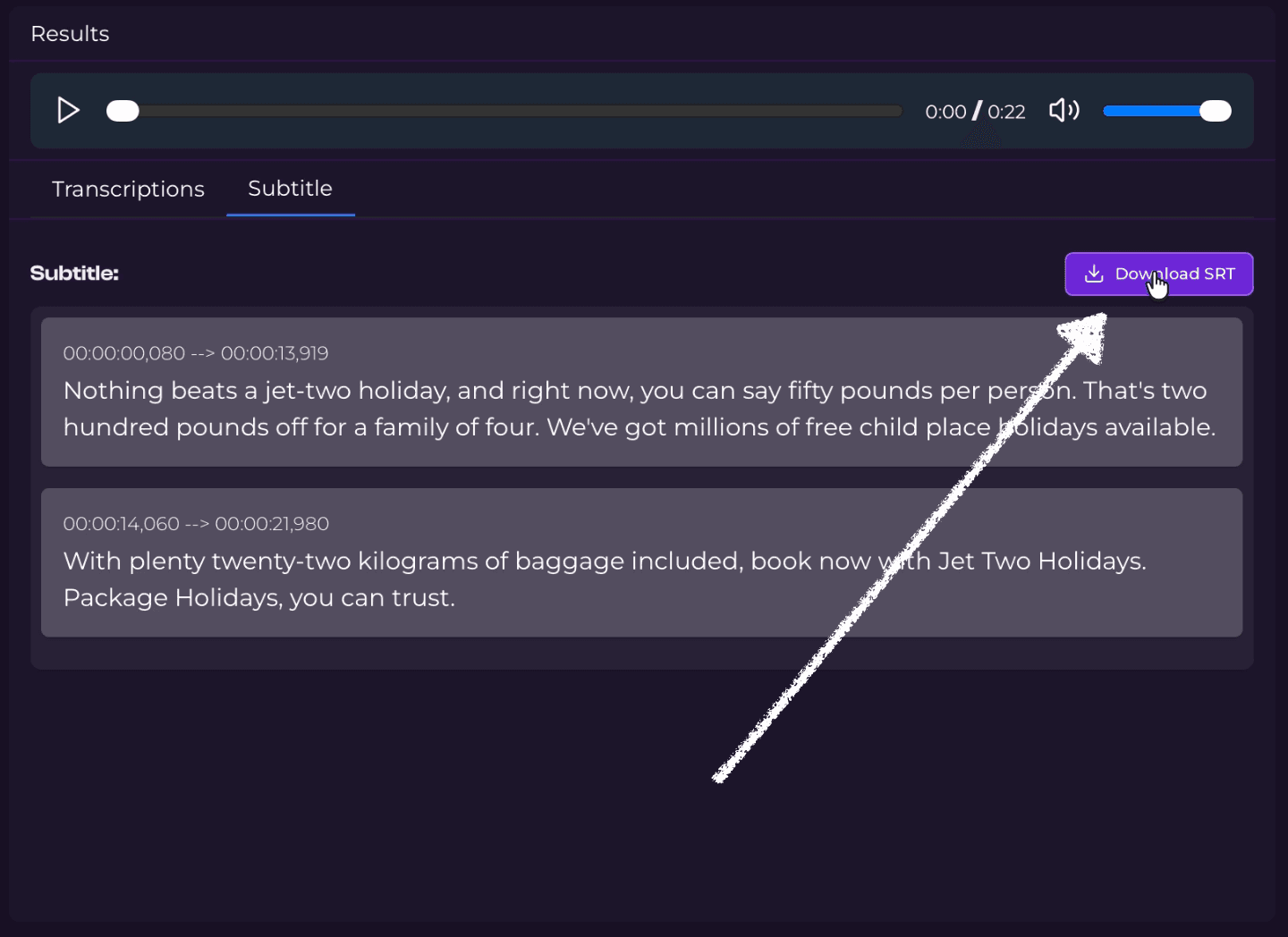
Option 2: Using the Python SDK
For developers and agencies automating their workflows, generating SRTs is just one parameter away:
import orbitalsai client = orbitalsai.Client(api_key="your_api_key_here") # Transcribe and generate SRT transcript = client.transcribe( "audio.mp3", language="english", model_name="Perigee-1", generate_srt=True ) # Save the SRT content to a file with open("audio.srt", "w", encoding="utf-8") as f: f.write(transcript.srt_content) print("Subtitle file saved successfully!")
Start Scaling Today
Don't let manual subtitling slow you down. Use OrbitalsAI to automate your workflow, save time, and scale your content effortlessly.